
Scrubb
See what your photos reveal, then remove it.

Free inspector · $7.99 one-time
Every picture your phone takes records where you were, what took it, and the exact second you pressed the shutter. Sometimes it keeps a thumbnail of the original shot, still showing what you cropped out. Your videos carry the same thing, which almost nobody realises. You cannot see any of it; the person you send the photo to can.
Scrubb shows you exactly what is hidden inside a photo or video, in plain language, then removes it without touching the picture itself. The inspector is free forever, and the first five exports are free and full-strength. After that, one payment unlocks unlimited exports on Mac, iPhone and iPad. Not a subscription, not now and not later.
Screenshots
Features
See It Before You Send It
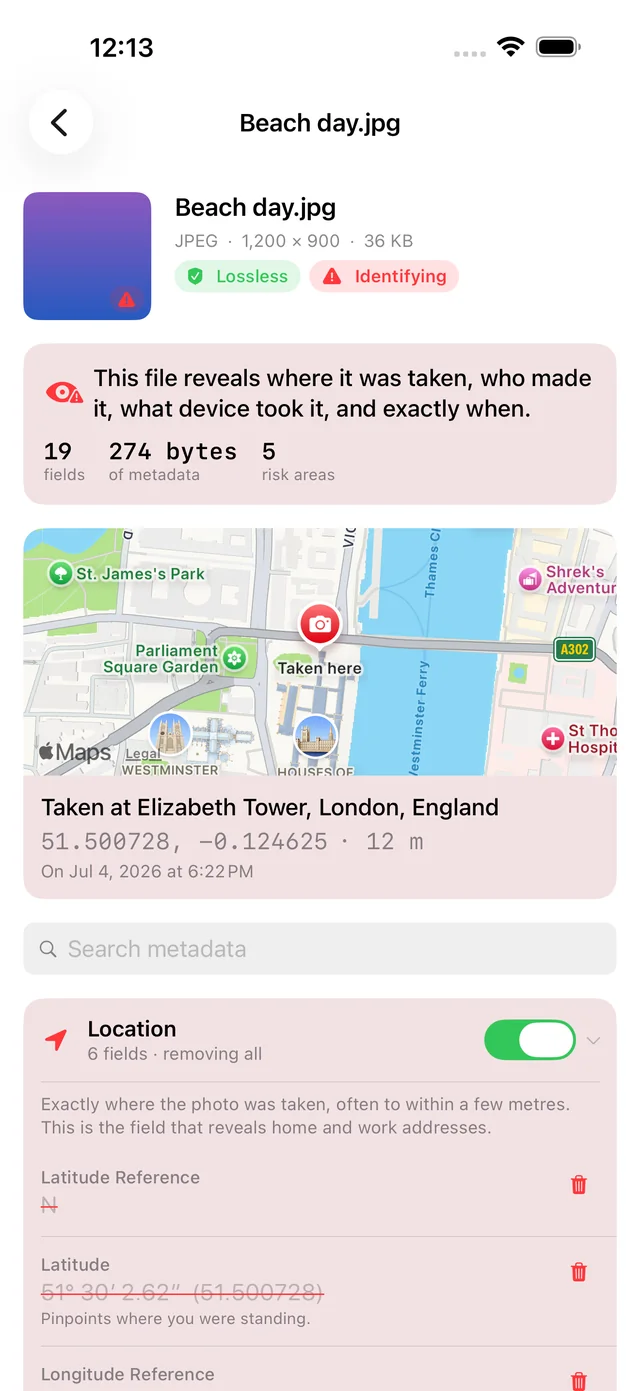
Open any photo or video and Scrubb lays out everything inside: the location on a map, the device and lens, timestamps, author and copyright fields, editing history, embedded previews. Every field is named in plain language with a note on what it actually gives away.
Your Pixels Are Never Touched
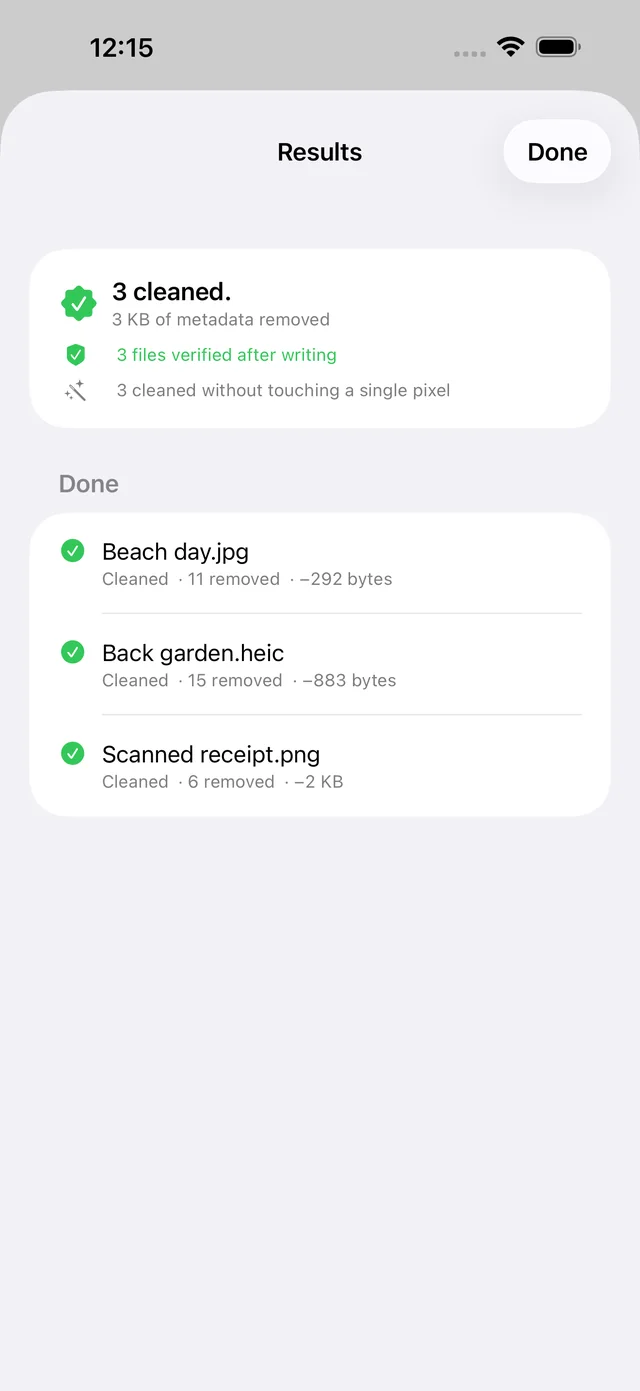
Most metadata removers re-compress your photo and hand you a softer JPEG. Scrubb rewrites the container around the image and copies the compressed picture across untouched, so a cleaned file keeps its original format and quality.
Every File Is Verified
Scrubb re-reads every file it writes. The image must still decode, match the original's dimensions, hash to the same pixels, and contain none of the fields you asked to remove. A file that fails any check is deleted rather than handed to you.
Nothing Is Ever Uploaded
Free online metadata removers ask you to upload the very file you are trying to strip. Scrubb has no server, no account and no analytics. Turning a coordinate into a place name for the map is the only thing that ever touches the network.
Selective Or All At Once
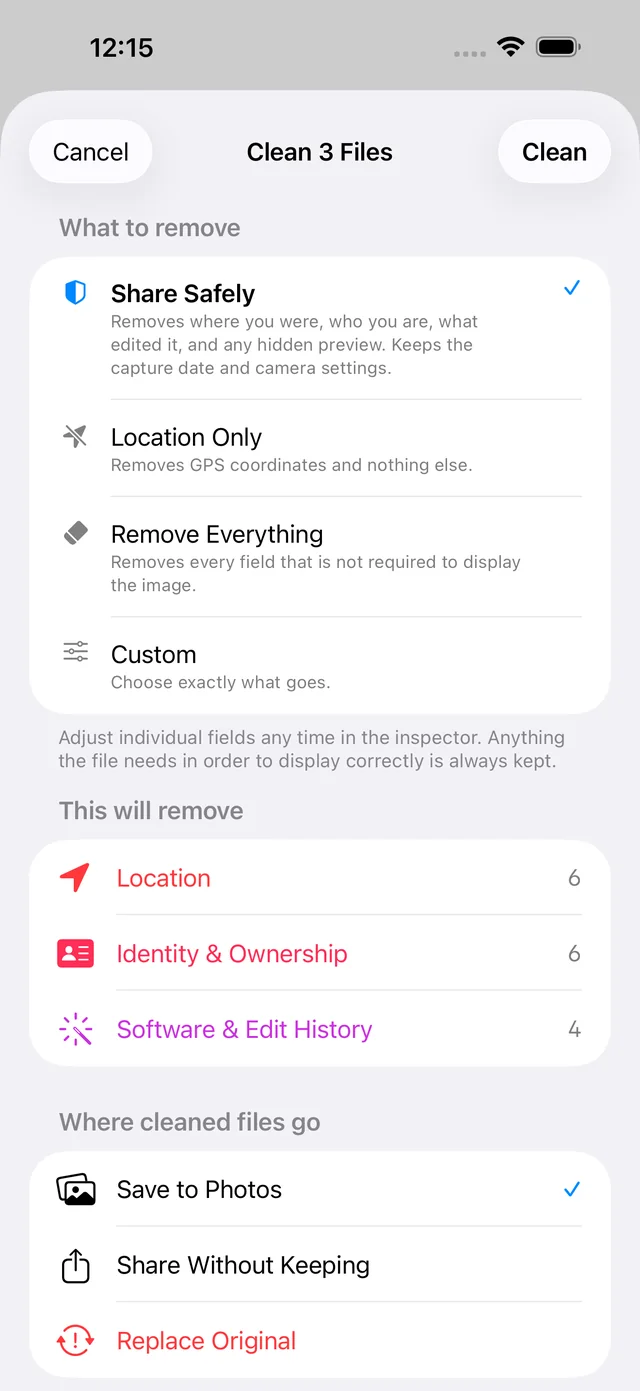
Remove everything, remove only the location, or open the inspector and switch individual fields on and off. Presets cover the common cases and the inspector covers the rest, one photo or a few hundred in a single pass.
Your Originals Stay Put
Cleaning always writes a new file. Camera RAW negatives are refused outright, because their layouts are proprietary and a bad edit destroys something you cannot recreate, so Scrubb exports a cleaned JPEG or HEIC instead.
Get It Now
Free inspector · $7.99 one-time